
1. Start from CCU frontpage

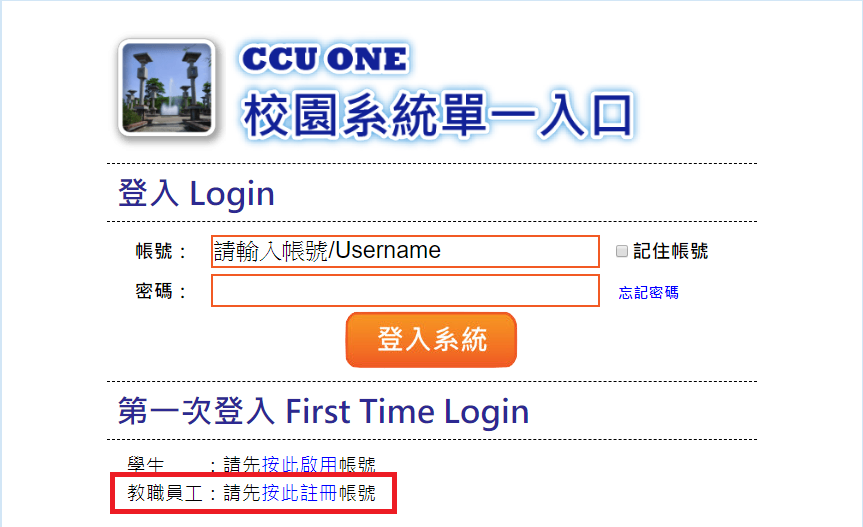
2. Register
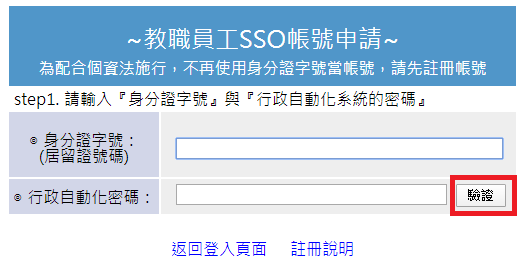
3. Input idnumber and password of auto-executive and click "驗證"
4. Select or input the email that you want to use for login, if you input email, click "檢查帳號" before click 申請.

5. Receive the mail and click the comfirm link.

6. Done, now you can login with the email.